Citizens' offices and public-service appointments: asking practical questions across languages

You are at a citizens’ office and want to know which form to use or what to bring to your next appointment. The question is straightforward, but you and the staff member do not share a language. For practical questions like these, it helps to be able to ask rather than just nod uncertainly.
Miteinander can support that face-to-face exchange: you and the staff member speak or type in your own languages on one shared device. Each person checks their original text before sending. That gives you room to ask: “Which documents do I need to bring to my next appointment?”
Before you go: name the service you need
Write down the exact service and check your booking confirmation: are the service, location, date and time correct? Look for the relevant forms and required documents on the responsible authority’s official website.
For example, Berlin’s official residence registration page distinguishes between registering in person and online, with requirements and documents for each route. Its appointment guidance also explains booking by service or location. These are examples from Berlin, not a universal checklist for every public office.
If something remains unclear, prepare a specific question: “There is a document on the list that I don’t recognise. Could you tell me which document this means?” Keep the official document name to hand instead of replacing it with an approximate term.
At the office: agree on using the app
First ask whether you can use Miteinander for the conversation and what local rules apply. The app is not an official communication channel of the authority. If you cannot use it, ask about other language support.
Open the Miteinander web app on your phone or tablet. You need a browser, an internet connection and access to AI usage in the app. Choose your language, optionally describe the situation, then select the other person’s language.
A short description is enough:
I am at a citizens’ office in Germany. I want to ask practical questions about my next residence registration appointment. Which documents and form should I bring?
You do not need to enter an identity document number or case reference to begin. You can show a list in person; often the document’s name is enough for your question.
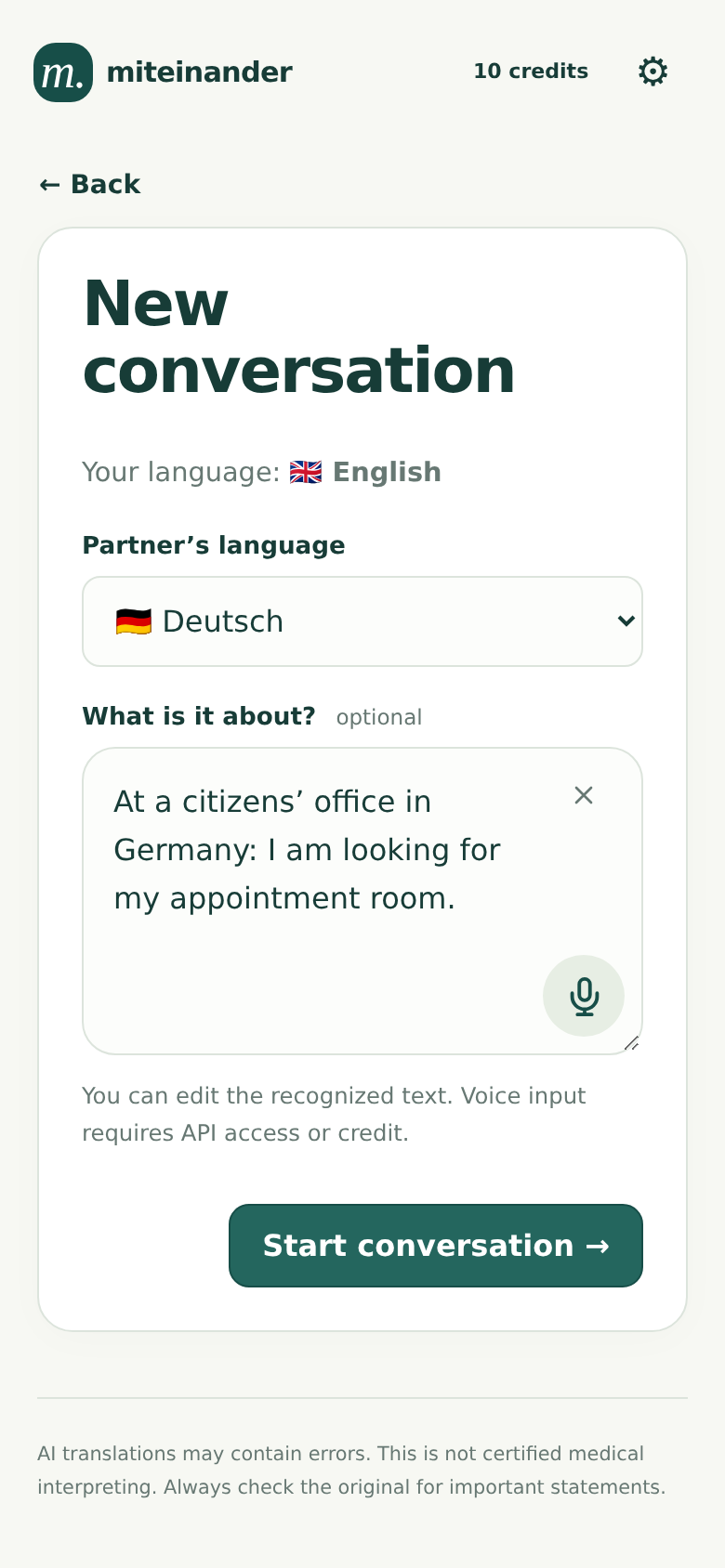
An example: making the document question specific
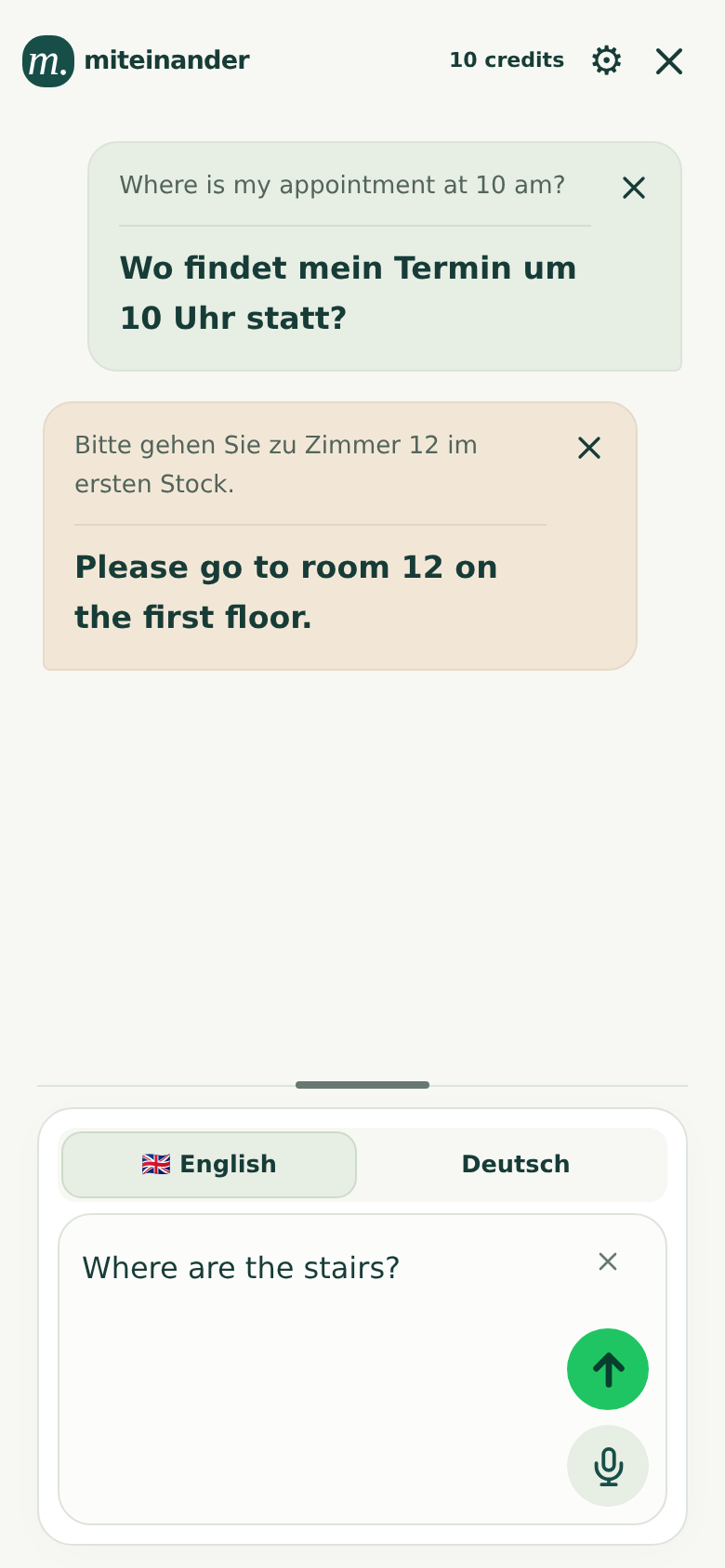
This scene is fictional and uses an in-person residence registration appointment in Berlin as an example. The document types come from the official service page; check current authority guidance for your own circumstances. All lines appear in English here, but each person would use their own language in the app.
Visitor: “Which documents do I need to bring to my next appointment?”
Staff member: “For registration in person, our list includes proof of identity, the housing provider’s confirmation and the completed registration form. Let’s look at which additional requirements apply to your situation.”
Visitor: “Where can I find the correct registration form?”
Staff member: “I’ll show you the link on our official website.”
Visitor: “So I’ll use this form and check the document list for my appointment again. Have I understood you correctly?”
The goal is not to memorise a generic document list. It is to understand the precise names and the next step for your appointment. The authority provides the information; Miteinander helps convey it across languages.
Review your text, then take turns asking questions
You can type or speak your message. Voice input requires microphone permission and audio recording supported by the browser. Recognised speech first appears as an editable text draft. Check document names, numbers, dates and negatives in particular. Translation starts only when you send.
The original and translation appear in the conversation history. After a successful translation, input switches to the other person. Completed earlier exchanges are taken into account for further translations. Still, name important items explicitly: “Do I need the original of this document?” is clearer than “That one too?”
Other useful practical questions include:
- “Is my appointment booked for this service?”
- “Do I need the original, a copy or both?”
- “Which field should I use for this information?”
- “How can I submit a missing supporting document later?”
- “How do I change my appointment if I can’t attend?”
Ask one question per message. Have important names shown or written down, and make a separate note of confirmed next steps. Book or change appointments through the authority’s designated channels, not by sending a message in Miteinander.
Personal information and matters with legal consequences
Enter only what your question needs. Saved conversations stay locally in the browser; the contents needed for AI processing pass through the Miteinander server to OpenRouter and the relevant AI provider. Do not enter full identity details or entire official notices just in case they might be useful.
Miteinander is not a substitute for official or certified translations, or for legally binding advice. AI translations can contain errors. If a question concerns legal consequences, deadlines or a declaration you are asked to sign, clarify the content with the responsible body and, where needed, a qualified interpreter or legal adviser. Ask the receiving authority what form of translation it accepts.
For a simple practical question, start with one specific sentence. Open Miteinander and work out the next step together. For the basic workflow, see “One device, two languages”.