Language barriers at the doctor’s: how Miteinander supports the conversation

You are sitting in the consulting room with a question to ask. In your own language, it would be straightforward. But the words are missing — and the person opposite you is also searching for a way to explain. Rather than settling for an uncertain nod, you want to have a conversation.
Miteinander can support that exchange: doctor and patient speak or type in their own languages, using one shared device. You can check your own words before sending them; the translation appears afterwards. That creates room for a question that might otherwise go unasked.
Start together, with a shared understanding
Before you begin, both the patient and the doctor need to agree to using the tool; briefly check its use with the practice.
Open the Miteinander web app on a smartphone or tablet. You need a browser, an internet connection and access to the app’s AI services. Neither a second device nor a shared messaging account is required.
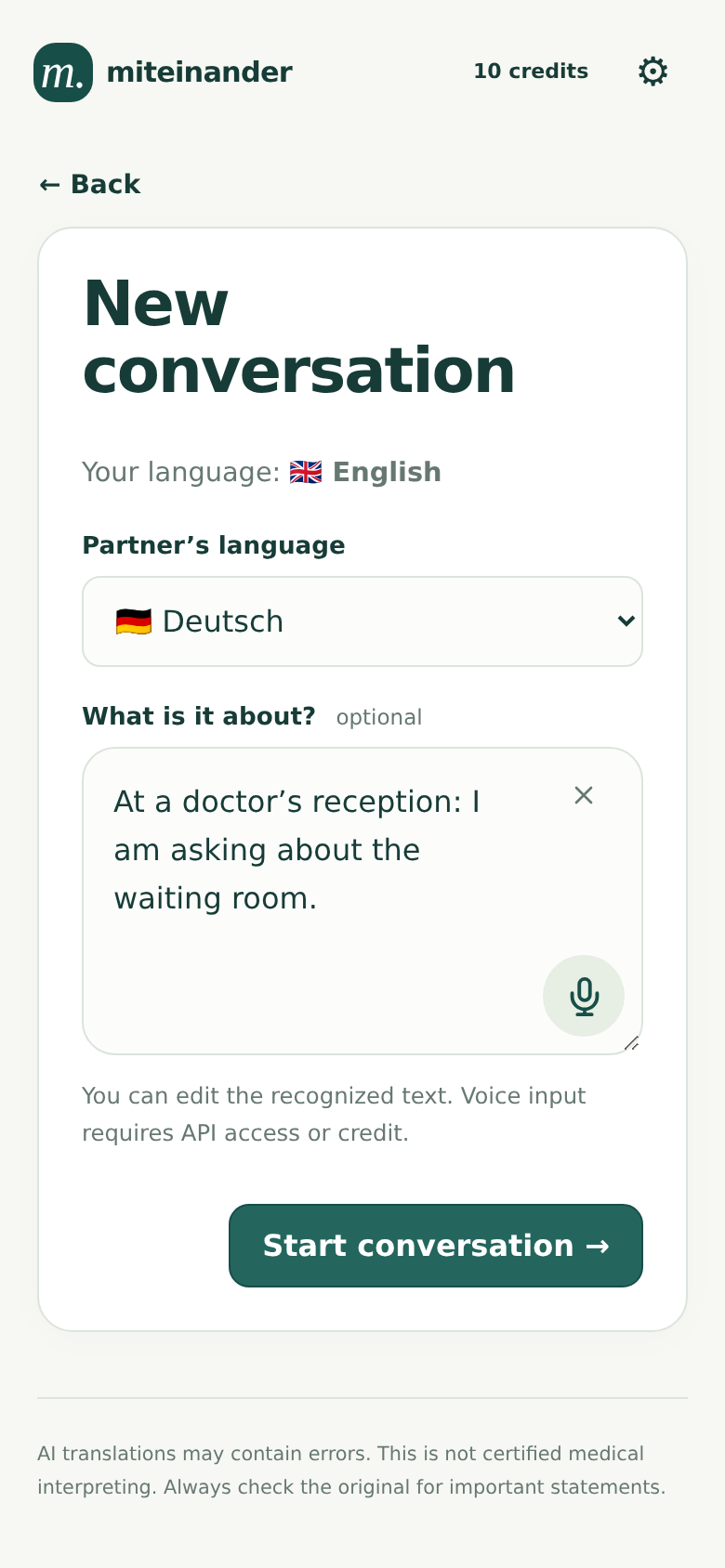
First, choose your language. You can then briefly describe the situation before selecting the other person’s language. For example:
I am at a doctor’s appointment. We want to clarify how today’s appointment will work. I would like to ask questions whenever I don’t understand something.
This description is optional. It gives the translation a starting point without requiring you to plan the whole conversation in advance.
Check your own sentence before translating
One practical advantage of Miteinander comes between speaking and sending: voice input first appears as an editable text draft. Your browser needs microphone permission and support for audio recording. You can also type instead.
Read the sentence in your own language. Does it say what you meant? Is a “not” missing? Has “last week” accidentally become “next week”? You can correct these details or add something before sending.
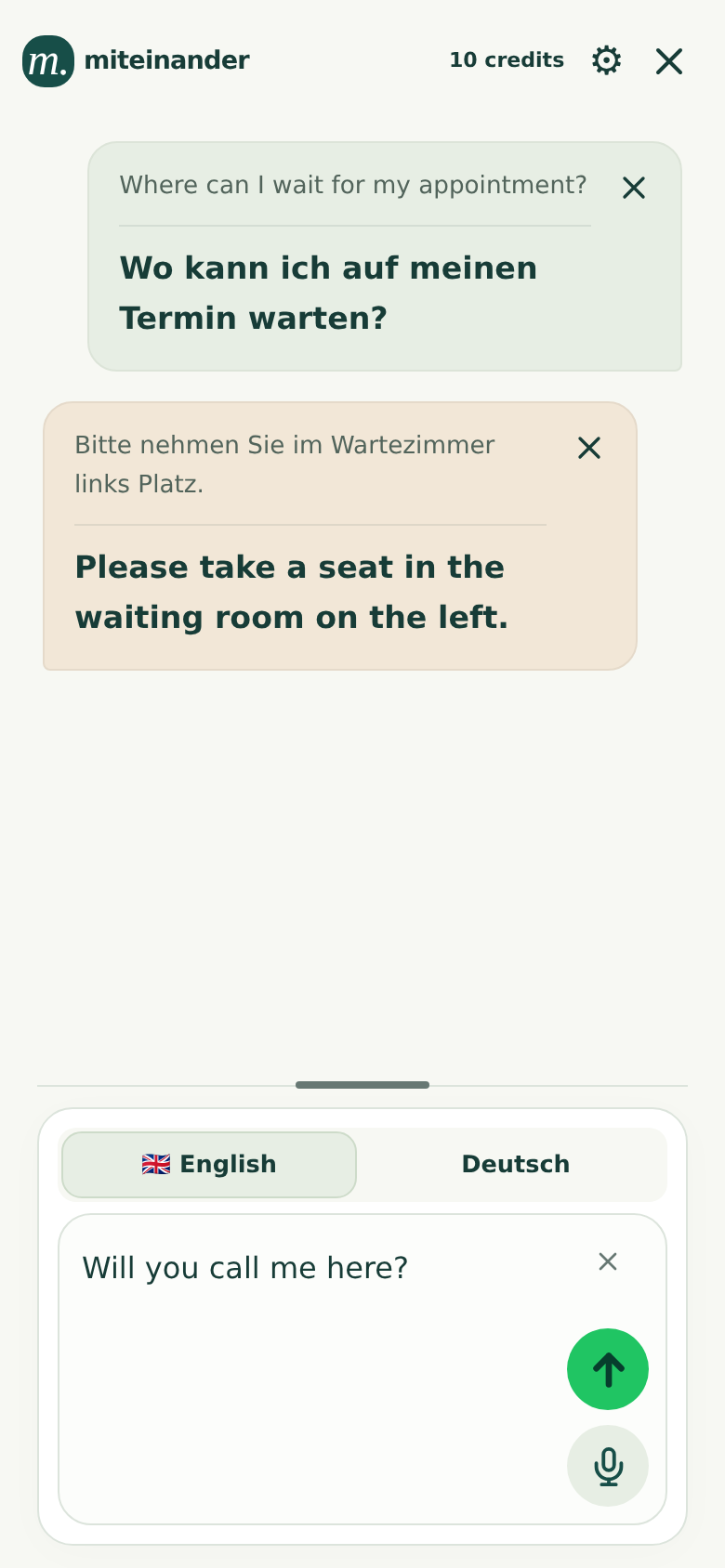
Translation starts only when you send. You decide which message to pass on. Checking the original text gives you a clear step you can follow even when you do not speak the other person’s language.
An example: making room for a follow-up question
The following scene is fictional. The sentences are shown in English for illustration; in the app, each person would use their own language.
Patient: “I have a question about the appointment. What happens after our conversation?”
Doctor: “Please go back to reception afterwards.”
Patient: “Should I wait to be called, or let them know I’m there?”
Doctor: “Please let the receptionist know you’re there.”
It is a small follow-up question, but it turns a general instruction into a clear next step. The patient does not have to guess, and the doctor can respond directly.
After a successful translation, input switches to the other person. The original and translation remain visible in the conversation history. Earlier completed exchanges are taken into account as context for subsequent translations. Still, “Should I let reception know I’m there?” is more useful than a vague “And then?”
What the tool can make easier
Asking your own questions
You can express yourself in your own language rather than relying on the few words you happen to know. “Could you explain that again in simpler words?” is a useful message in its own right.
Keeping the exchange two-way
The doctor’s explanation is only one part of the conversation. The patient’s follow-up matters too. Sharing a device and taking turns makes that back-and-forth possible.
Reading a message again
Originals and translations appear together in the history. You can return to a statement and build on it rather than entering every sentence again.
Keeping the human connection
The phone sits between you, but the conversation is still between two people. Try a simple rhythm: make a short contribution, translate it, read it, then look back at each other.
A practical routine for your next exchange
- One question per message: clarify one step before moving to the next question.
- Be specific: “Which reception desk should I go to?” is clearer than “Where do I go?”
- Say when something is unclear: “I haven’t understood that sentence yet” is more useful than a hasty nod.
- Confirm the next step: finish by describing, in your own words, what happens next in the appointment process.
For diagnoses, medication doses, treatment decisions and informed consent, Miteinander does not replace qualified interpreting; AI translations can contain errors.
For simple practical questions and the start of a face-to-face exchange, the tool can be a bridge: you can ask, the other person can answer, and you can follow up together.
To try Miteinander together, open the web app, choose your languages and begin with a short question. For the basic workflow, see “One device, two languages”.