Parent-teacher meetings: talking together across a language barrier

You want to know how your child is getting on at school. What is going well? Where do they need support? What do you need to know about the next school trip? When parents and teachers do not share a language, these questions can easily go unanswered.
Miteinander can support that face-to-face conversation: each person speaks or types in their own language on one shared phone or tablet. Before sending, they review their own text. This gives you a way to discuss a concern step by step, including: “My child doesn’t understand the homework. How can we support them at home?”
Before the meeting: bring your main question
Write down two or three questions and start with the most important one. Ask your child what is on their mind at school, too. If homework is the issue, bring the exercise book: a particular task gives you a more useful starting point than “Everything is difficult at home.”
The meeting need not focus only on marks. Germany’s Deutsches Schulportal emphasises the child’s development and support agreed together. Colorín Colorado also recommends preparing questions, asking for clarification and discussing ways parents can help at home.
Check with the teacher beforehand whether you can use Miteinander and what school rules apply. Allow time to read the translations. If a bigger issue cannot fit into the appointment, arrange a follow-up rather than rushing it.
Getting started: choose languages and describe the situation
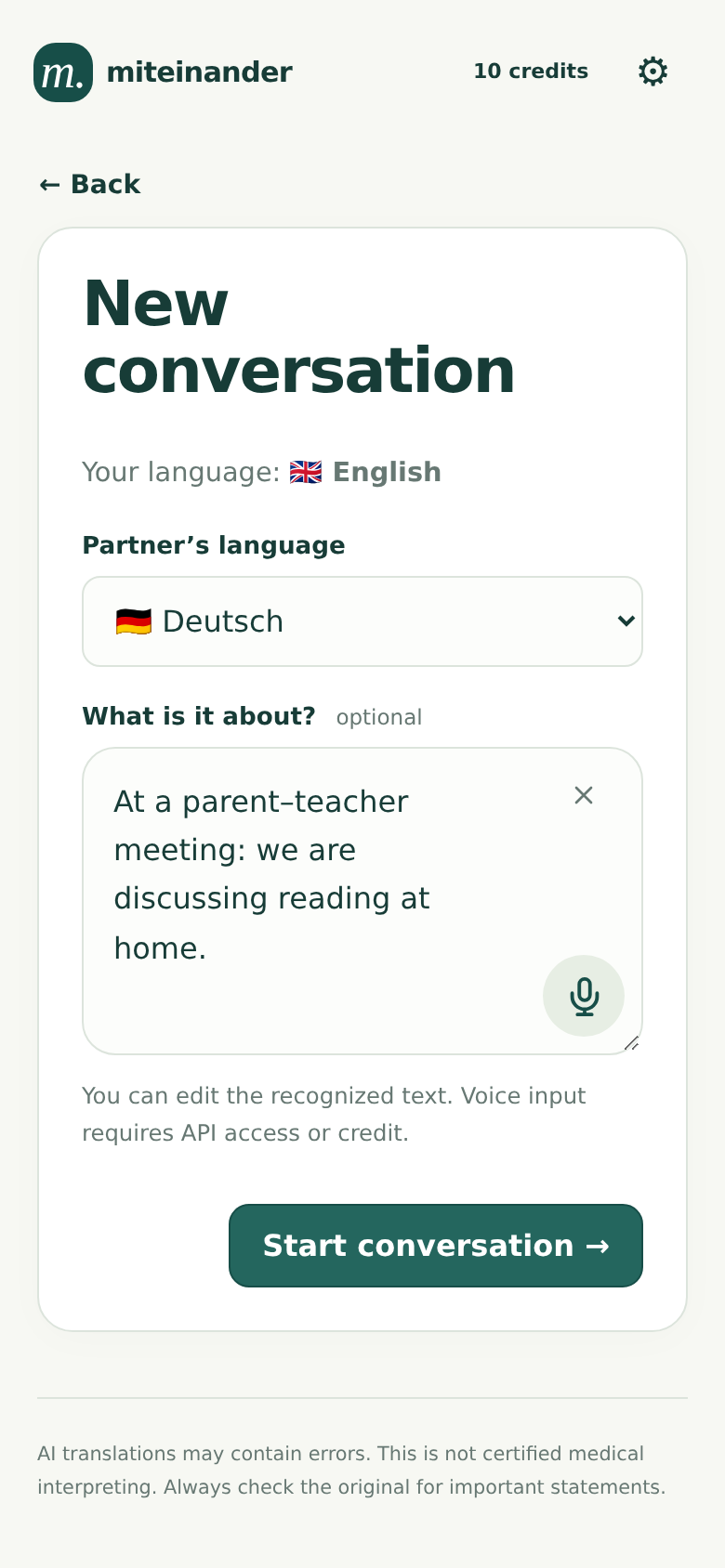
Open the Miteinander web app in a browser. You need an internet connection and access to AI usage in the app. Choose your language, optionally describe the situation, then select the teacher’s language.
For example:
I am a parent talking with a teacher. We want to understand why my child is struggling to understand the homework and how we can support them at home.
You do not need your child’s full name or a detailed school history to set the scene. The subject and your specific question are more useful. You can look at the exercise book together without entering its contents into the app.
Turning a homework concern into a next step
This scene is fictional. All lines are shown in English here; in the app, each person would use their own language. The response illustrates a conversation, not general educational advice.
Parent: “My child doesn’t understand the homework. How can we support them at home?”
Teacher: “Could you show me which task they are getting stuck on?”
Parent: “Here, at question three. They don’t know what to do first.”
Teacher: “I’ll explain the first step to your child again tomorrow. Please mark the part that was unclear.”
Parent: “So we’ll mark the unclear part in the book, and you’ll go over it with my child tomorrow. Have I understood that correctly?”
The broad concern now has a concrete next step: who will do what, and when? Decide with the teacher what support fits your child’s actual situation.
Check your words, send, then follow up
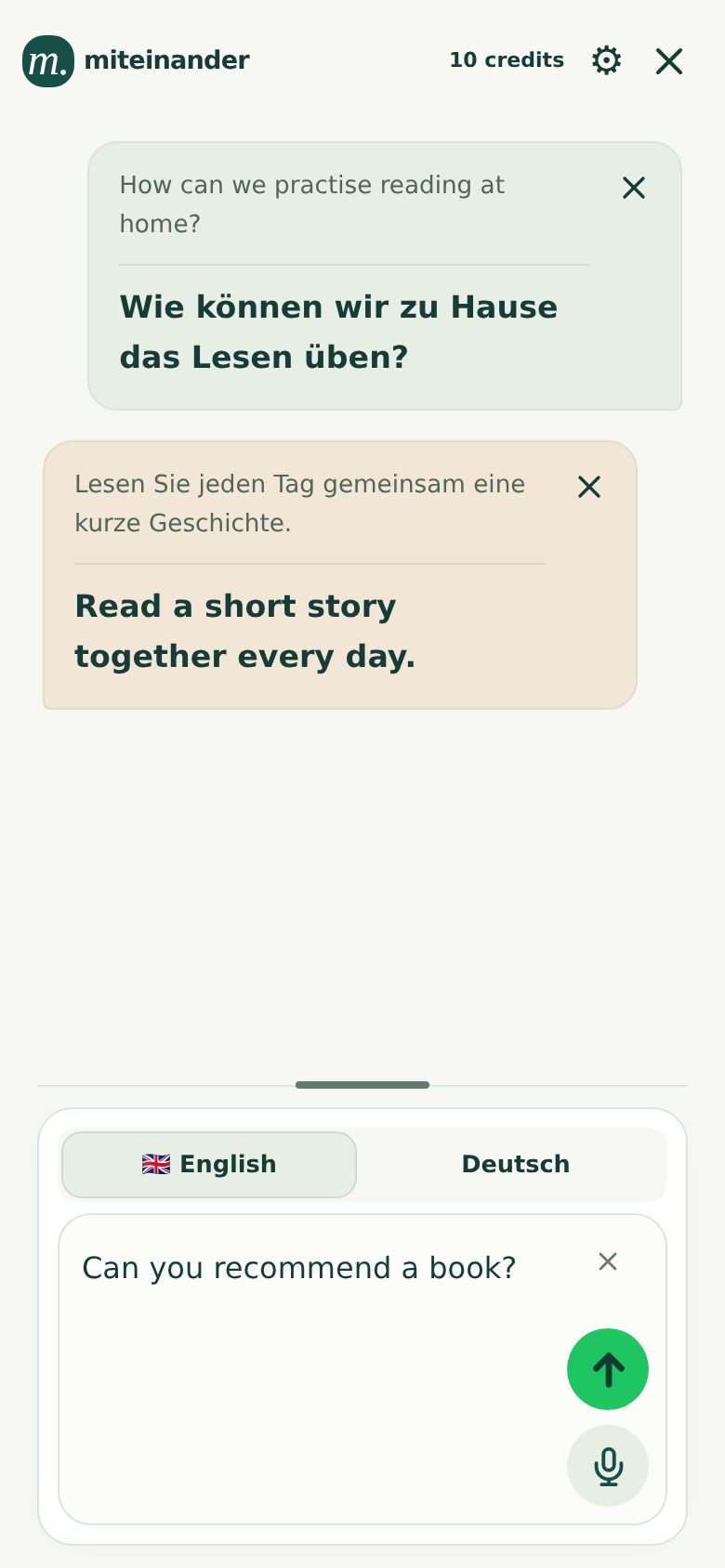
Type your message or speak it. Voice input requires microphone permission and audio recording supported by the browser. Recognised speech first appears as an editable text draft. Read it through: are the subject, question number and words such as “not” correct? Adjust your original text before sending.
Once sent, the original and translation appear in the conversation history. After a successful translation, input switches to the other person. Further translations take completed earlier exchanges into account. Still, keep follow-up questions specific: “Which task should my child finish by Friday?” rather than “And that by then?”
More questions for school life
- Progress: “What is my child doing well? What should they work on next?”
- Homework: “Where can we find the assignments, and how should we let you know if something is unclear?”
- School trips: “What time should we meet? What does my child need to bring?”
- Organisation: “What is the deadline for returning the form?”
- Staying in touch: “How can we ask a follow-up question, and when will we speak again?”
Take one question at a time. At the end, restate dates, materials and responsibilities in your own words. Make a separate note of the next steps you have confirmed together so you can discuss them with your child at home.
Be thoughtful about personal information
Enter only the information needed for your question. Saved conversations are stored locally in the browser; the contents needed for AI processing pass through the Miteinander server to OpenRouter and the relevant AI provider. Do not use a shared school device for personal conversations without checking that it is appropriate.
AI translations can contain errors. For consequential matters such as school placement decisions, consent or safeguarding, Miteinander does not replace a qualified interpreter. Ask the school about suitable language support in advance if needed.
A specific concern and a willingness to ask questions are enough to begin. Open Miteinander and start with what matters most to you. For the basic workflow, see “One device, two languages”.