Forgot the timer? Add and correct working time in Priosia
You worked on a task without starting the timer. Or recording continued after you had already taken a break. You do not need to recreate the task or accept an inaccurate total. In Priosia, add or edit specific working intervals instead.
1. Establish what actually happened
Identify the task and when work started and ended. Notes or a finished draft may help you remember. Do not invent minute-by-minute precision if you cannot reliably reconstruct it. A correction should make the record more accurate, not produce as many hours as possible.
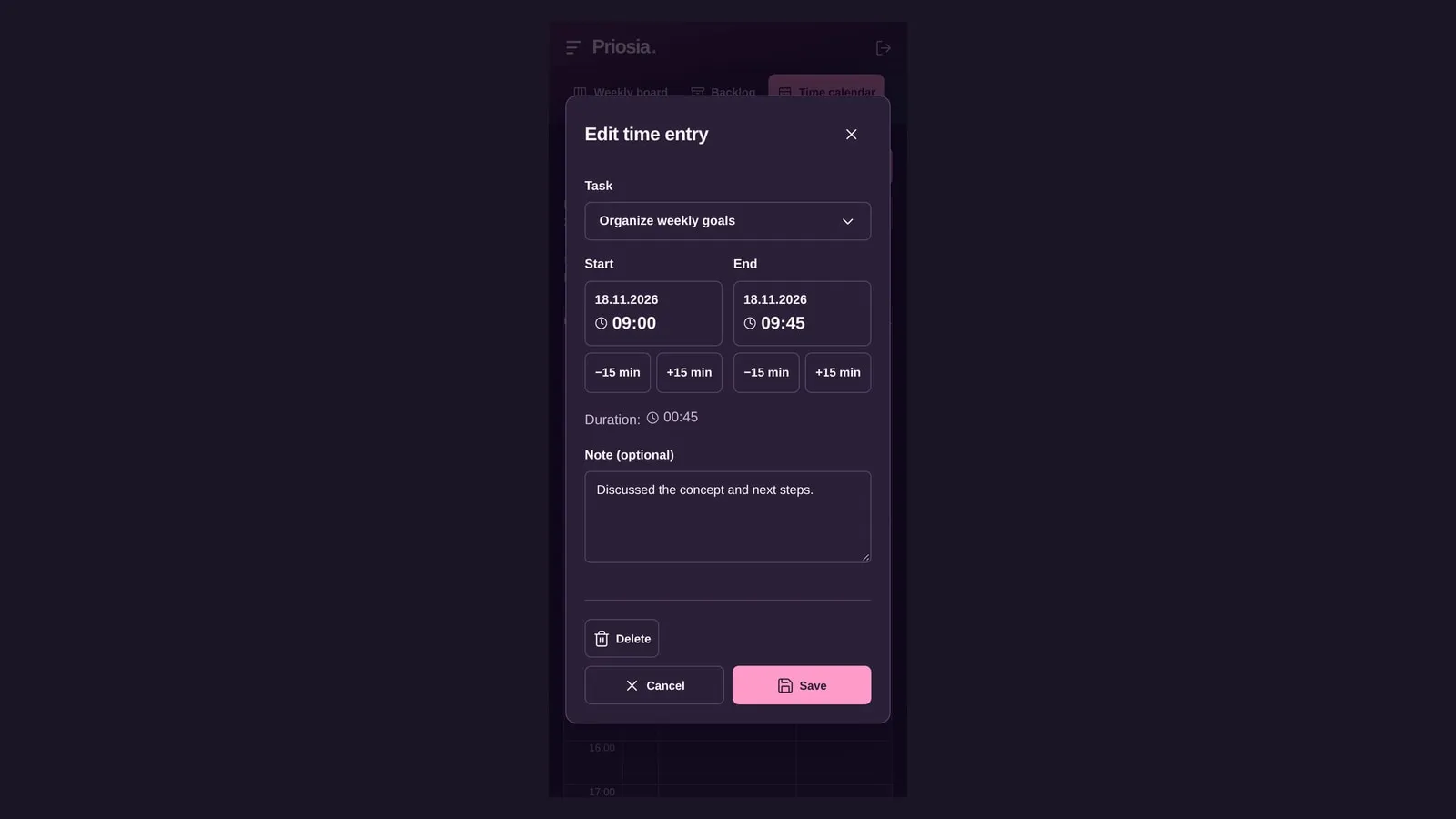
For example, you worked on your weekly goals from 09:00 to 09:45. That is 45 minutes of actual work. A session planned for tomorrow, by contrast, does not belong in the calendar as work already done.
2. Add a missing interval
Sign in to Priosia and open the time calendar. Navigate to the relevant day or week. Select Add time to open a new entry.
- Choose the task you worked on.
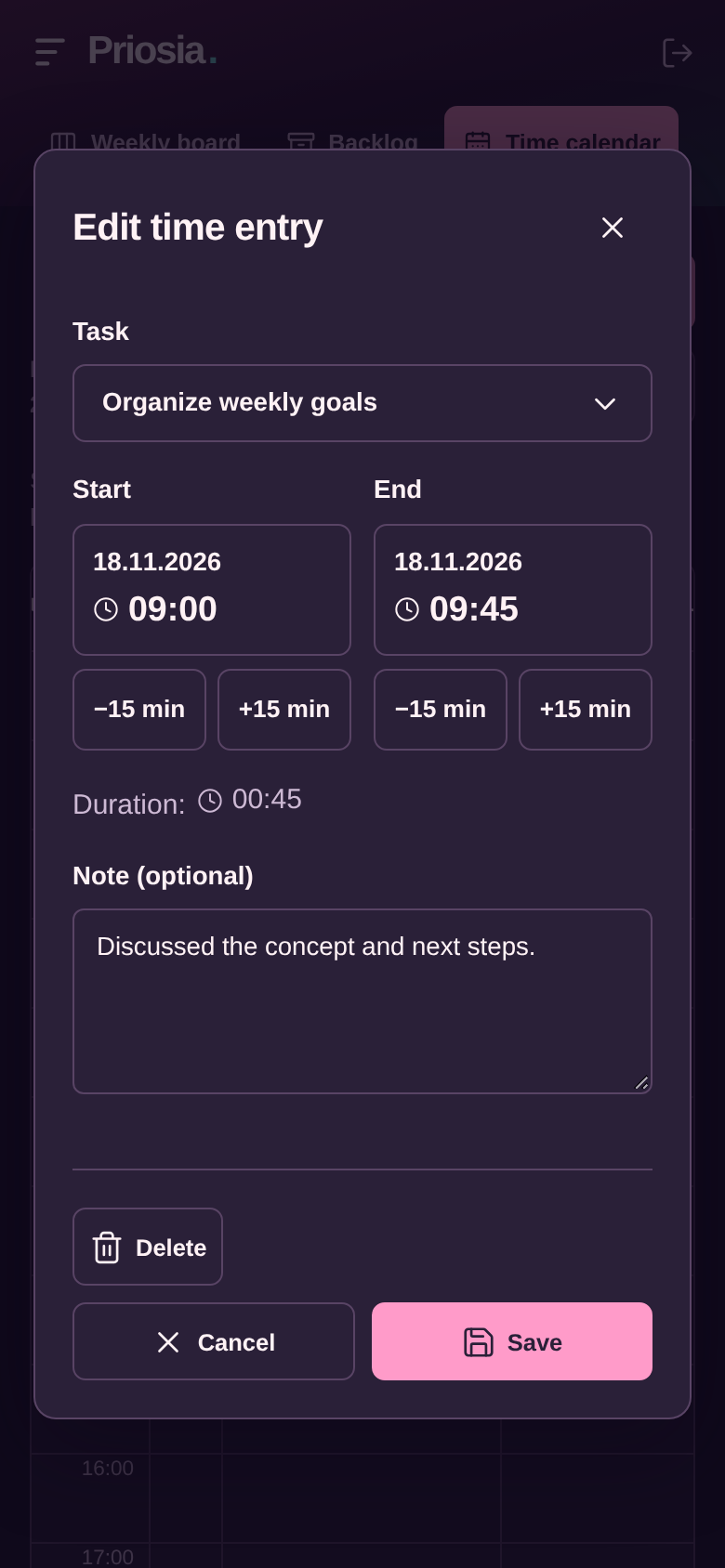
- Enter the date and time for Start and End.
- Check the calculated duration.
- Add a short note if useful and save.
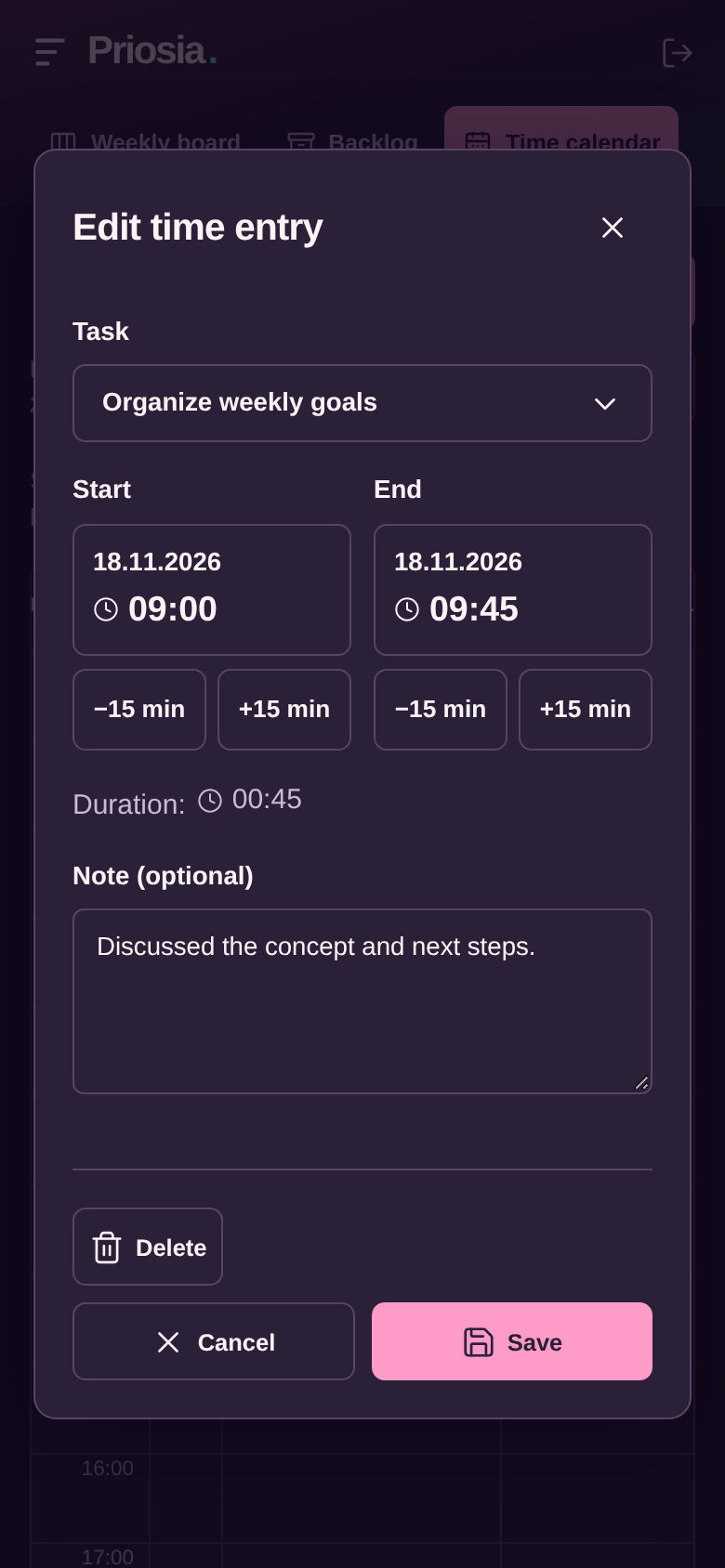
The image below shows the corresponding editor for an existing interval. Task, start and end are also the central fields when adding missing time.
A note can clarify the activity, such as “Discussed the concept and next steps”. It is optional. Avoid confidential details that are unnecessary for your personal review.
3. Correct an existing entry
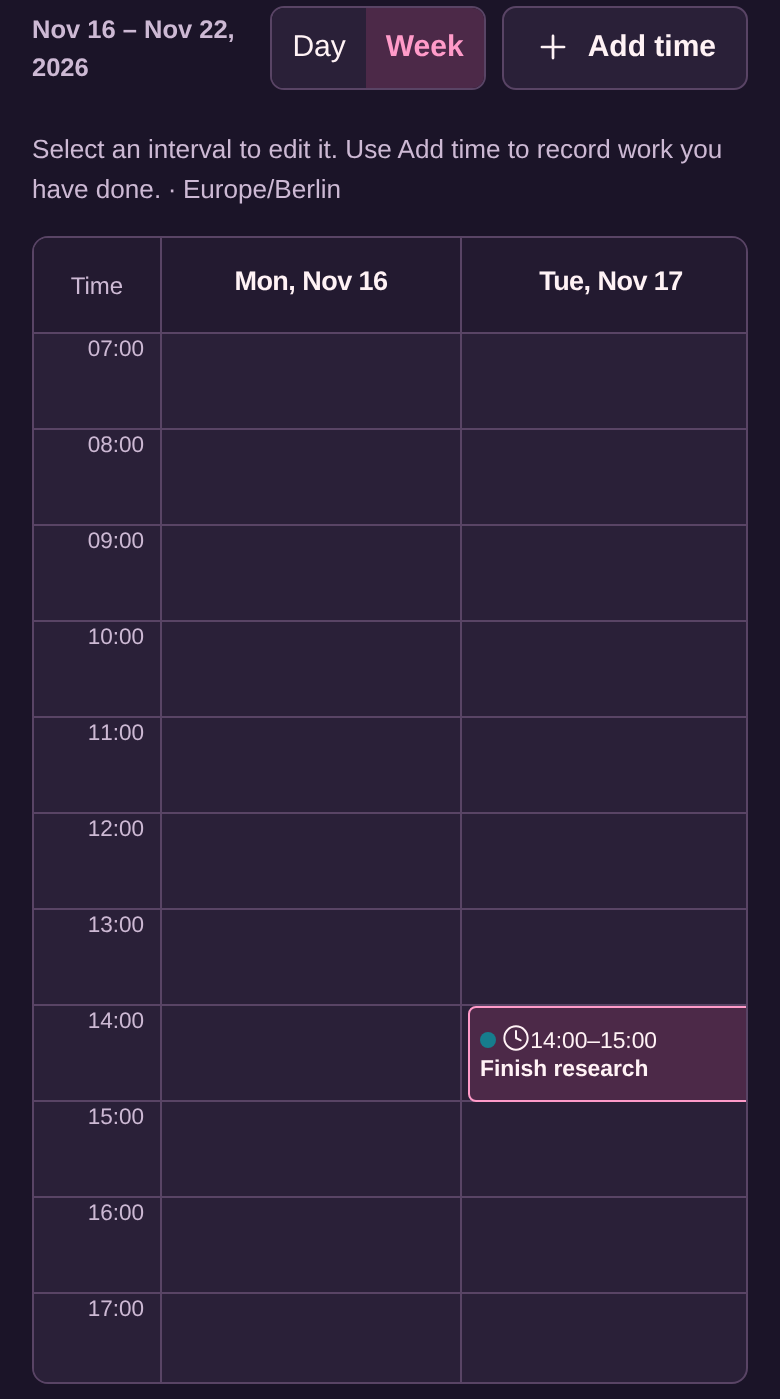
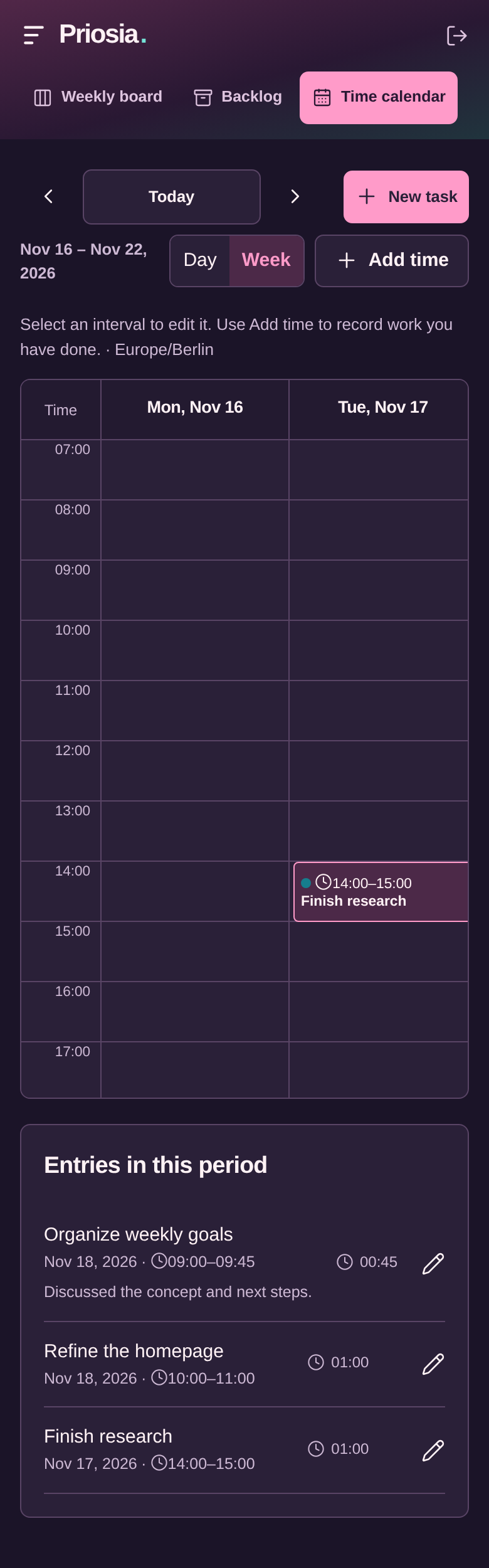
Select the interval in the time calendar. Check its task, start and end, change the inaccurate field and save. Edit the existing entry rather than adding the same work a second time.
Suppose recording shows 10:00–11:30, but you actually stopped at 11:00. Change the end to 11:00. If you worked again later, use a separate interval for that work. An interruption does not become working time simply because it falls between two activities.
4. Check the calendar in context
Pay attention to the date and displayed profile time zone. Compare the corrected entry with the other intervals that day. Priosia allows overlapping manual intervals and sums them independently. A duplicate can therefore increase the report total without representing more time worked.
5. Review the corrected record
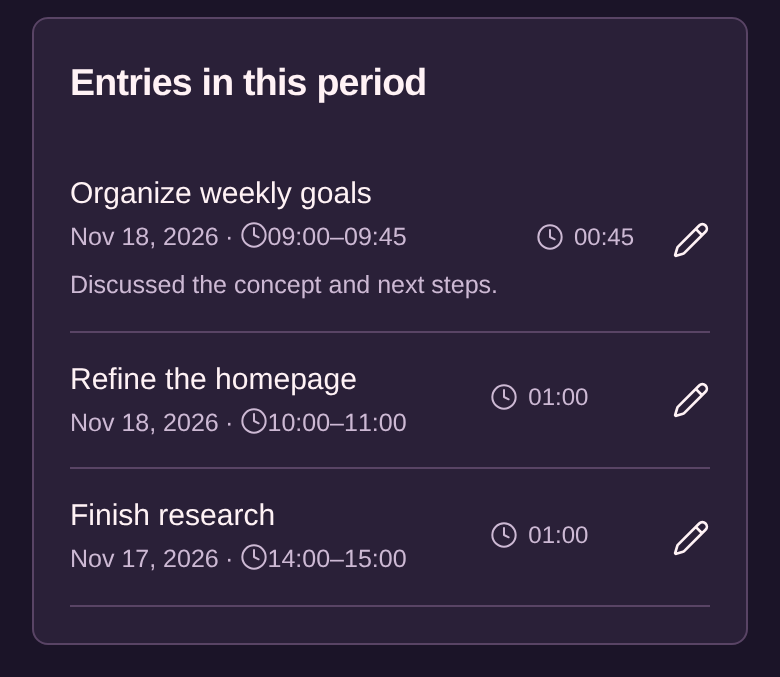
Then check the reports by project, task and day. You are not editing a standalone total: individual intervals form the basis of recorded effort. A plausible record helps you choose the next priority; it does not automatically judge the quality of your work.
Priosia keeps the task and actual working time connected. Start by correcting one specific missing or inaccurate entry, then use the cleaner record for your next review.
Read next: One task, one working session: use Priosia’s focus timer and Pomodoro · Busy all day—but doing what? Make sense of your working time.